
The Guide: Create Pro PSD Flyers with Free Affinity
The Global Shift: Mastering PSDs with the New Free Affinity Suite
The announcement is historic for designers worldwide: since late 2025, Affinity has become free (driven by Canva) and has merged its three tools (Designer, Photo, and Publisher) into a single ultra-powerful application.
“The takeaway: Choosing the PSD format today isn’t about locking yourself into Adobe; it’s about choosing a universal format that bridges Photoshop, Affinity, and Canva.”
Step 1: Get the Software (A-to-Z)
01. Create Your Account
Visit affinity.studio. You can create a new account or simply log in using your existing Canva credentials.
02. Download Affinity
Download the “All-in-One” application. Everything is now merged into a single app, and it is completely free.
03. Installation
Right-click on the “download package,” follow the install prompts, and open the software.
Step 2: Customizing Your Project
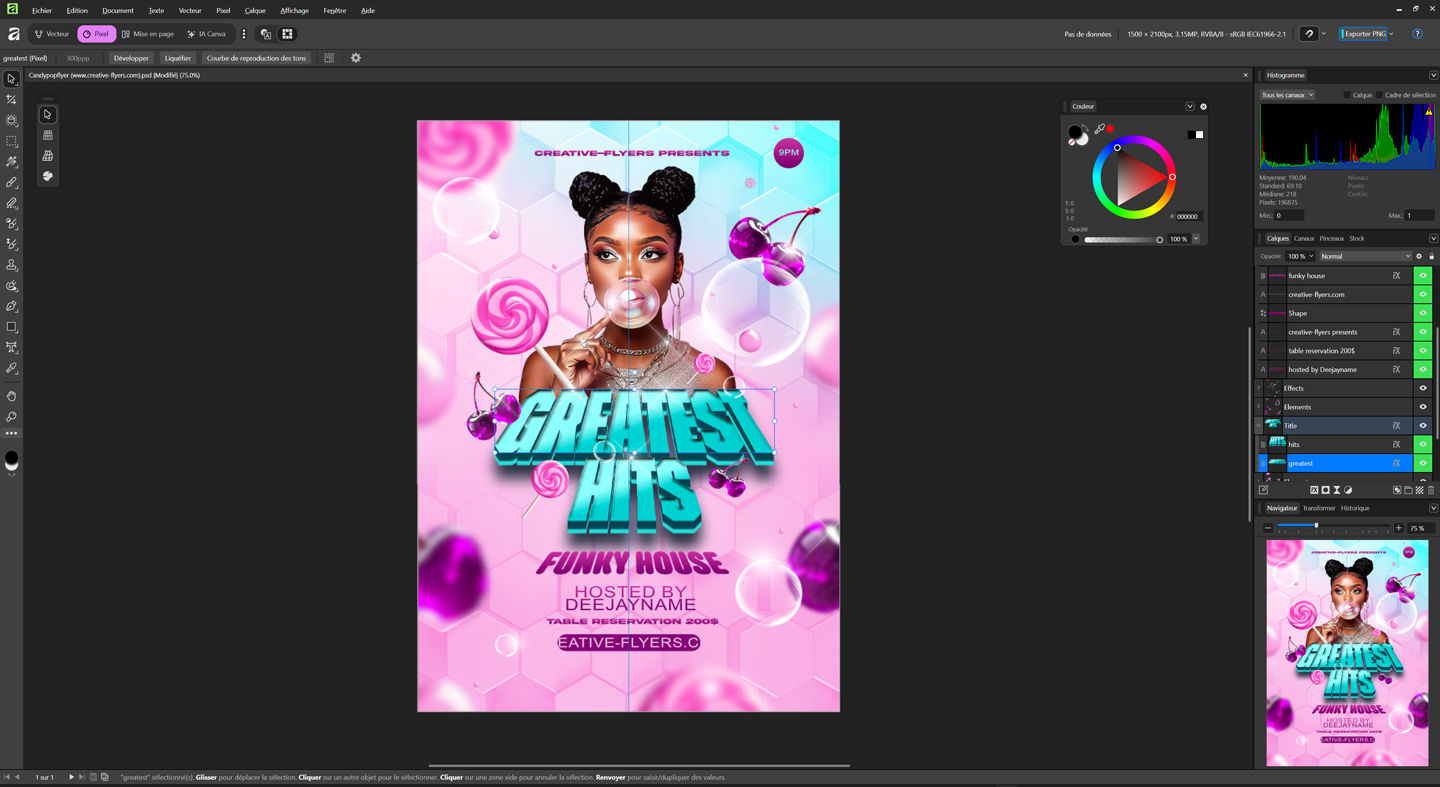 Once you’ve found your perfect template at www.creative-flyers.com, the process is seamless:
- • Open the File
Right-click your PSD and select “Open with Affinity.” The application handles PSD files with incredible fidelity, preserving all layers and masks. - • Manage Layers
Use the Layers panel to edit, hide, or adjust blend modes. Everything is fully editable. - • Smart Objects
Double-click any “Smart Object” (like a photo placeholder). It opens in a new tab; simply save your changes, and they reflect instantly in your main flyer composition. - • Fonts
Ensure your .otf or .ttf fonts are installed on your system. Most “Creative-Flyers” templates include the fonts, so you can maintain full text editability with just two clicks. - (Tip: If an Adobe-exclusive font is missing, visit Dafont.com for free similar alternatives.)
- • Need a hand?
“A help file is included with your purchase to guide you through the editing process. For additional support and frequently asked questions, please follow our FAQ link: https://www.creative-flyers.com/faq“
Head-to-Head: Photoshop vs. Affinity
| Features | Adobe Photoshop | Affinity (by Canva) |
|---|---|---|
| PSD Management | Native Format. | Smooth Import/Export. |
| Business Model | Monthly Subscription. | Completely Free. |
| Performance | Powerful but heavy. | Modern, lightweight engine. |
Conclusion: Borderless Creation
The PSD format has become a universal language. Whether you’re a professional agency or a solo creator, the barriers are down. The future of design is open, flexible, and accessible to everyone.
“Want to dive deeper into the power of this format? Discover why the PSD remains
The ultimate weapon for creative professionals
“The announcement is quite historic: Affinity has become free (driven by Canva) and has merged its three tools (Designer, Photo, and Publisher) into a single ultra-powerful application.
PSD Unlocked: Why the Affinity Announcement Changes Everything