Your Cart
Your shopping cart is empty.

$8
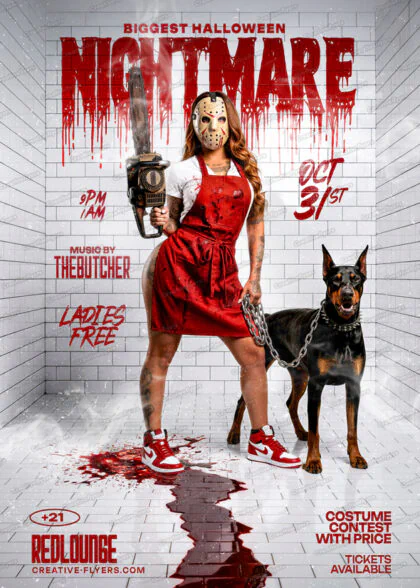
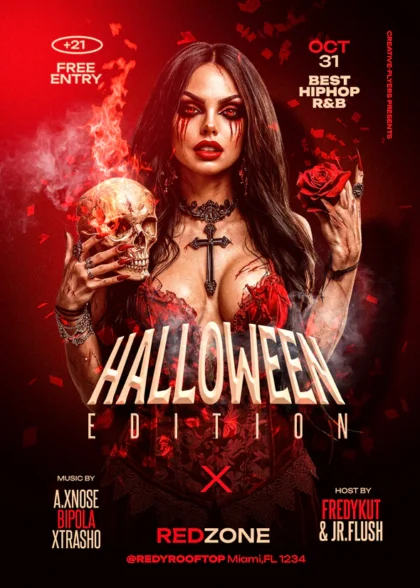
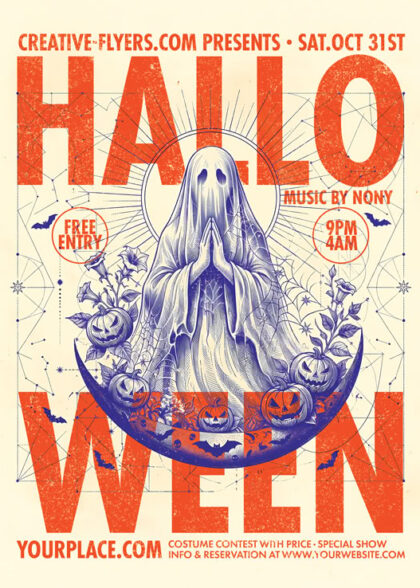
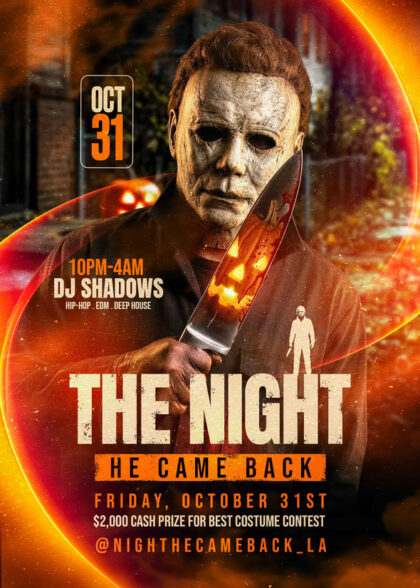
Get your hands on our new Halloween Nightmare PSD Flyer Template! Fully editable, print-ready, and designed to make your costume contest or club event stand out instantly.
Get ready to thrill your audience with this Halloween Nightmare PSD flyer template! Perfect for club parties, costume contests, and spooky events, this high-resolution Photoshop design features organized, fully customizable layers. Edit text, adjust lighting, and insert event details in just a few clicks. Download now to boost your event promotion with a professionally crafted design.
– Standard Size: 6×8.7 inches
– Fully editable PSD file
– Well-Organized Layers
– Print & Web Ready: RGB, 300 DPI
– Fonts Included: Download links for all fonts are provided in the help file.
– Complete Package: The model and all design elements are included.
Kingshare: https://www.dafont.com/kingshare.font
Alien League II Bold: https://www.dafont.com/alien-league.font
Montserrat: https://fonts.google.com/specimen/Montserrat
Anton: https://fonts.google.com/specimen/Anton
Customize text, adjust colors, and replace images in just a few clicks to create professional designs that match your brand and vision.
Edit your design effortlessly with compatible PSD editing software. Personalize text, colors, images, and other editable elements to suit your needs.
All included files and resources are clearly listed so you know exactly what you're getting.
Use your template with confidence. License details specify permitted uses and any applicable restrictions.
Please take a moment to review the FAQ below for answers to common questions. If you need further information or have any additional questions, feel free to contact us. Our dedicated support team is available 7 days a week to assist you.
Customizing your new flyer template is quick and easy, follow these simple steps to create your own design!
1. Open Your File
Launch your preferred editing software and open the downloaded .psd file.
2. Navigate the Layers Panel
Look at the Layers panel on the right side of your screen.