Description
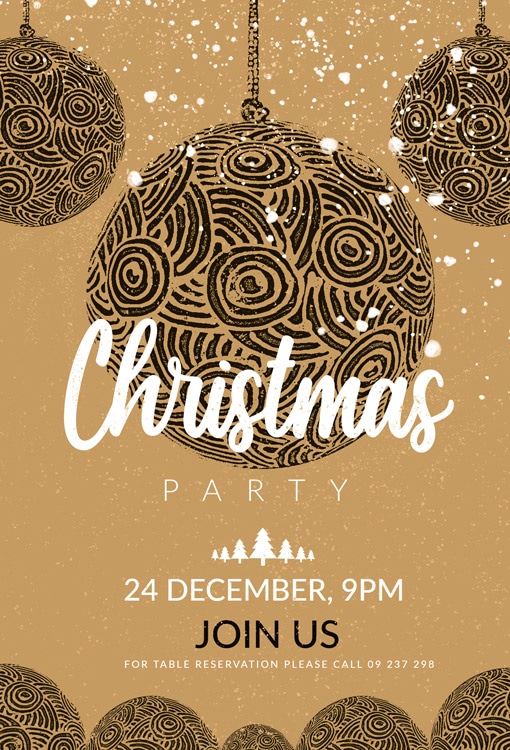
Golden Textured Ornament PSD Christmas Party Invitation
A richly textured Christmas party flyer with a soft, warm gold/tan background and a sprinkling of glitter. The design is dominated by large, hanging spherical ornaments with intricate, swirling black tribal or woodcut patterns. The main text, “Christmas Party,” is in flowing white script and block fonts. Beneath, small white pine trees separate the event details, clearly listing the date and time: “24 DECEMBER, 9PM,” with a prominent “JOIN US” call-to-action.
All main elements are editable and customizable, help file included, you will get font download links. You will of course need basic Photoshop knowledge, if you have any additional questions, Let me know if I can help with anything else.
Flyer Features:
- PSD Files Compatible With Adobe Photoshop
- Dimensions: 4×6 in + 0.25 bleeds
- Print Ready, 300 DPI, CMYK.
- All Elements included.
- All texts are editable with Photoshop text tool.
- Uses free fonts (font download link in documentation file)
FAQs
How can I customize this flyer template?
What file formats are included?
How to unzip the downloaded flyer?
After downloading, you’ll receive your flyer in a ZIP file. To unzip it:
- Windows: Right-click the ZIP file and select “Extract All…”
- Mac: Double-click the ZIP file to extract it automatically
- Mobile: Use an extraction app such as WinZip or iZip
Once unzipped, you can open the PSD file in Photoshop.