
Description
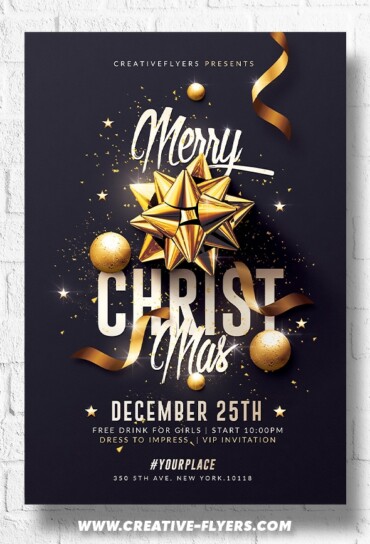
Christmas Invitation Templates – Creative and Festive Designs for Your Holiday Party
A vibrant Christmas invitation featuring a snowy landscape with a decorated pine tree, twinkling lights, and cheerful festive elements. The layout includes space for event details, with elegant fonts and subtle red and gold accents, creating a warm and inviting holiday atmosphere.
All elements in this flyer are optimised to be easily editable. Changing text, images and colors is quite straightforward so you shouldn’t have any issues with that. You will of course need basic Photoshop knowledge, Help file included, you will get font download links. You can also use it as a postcard or e-flyer on your social networks.
If you have any additional questions, just message me and I’ll be more than happy to help!
Flyer Features:
- PSD Files compatible with Adobe Photoshop
- Flyer Size: 4×6 in + 0.25 bleeds
- Print Ready, 300 DPI, CMYK.
- All Elements included.
- All texts are editable with Photoshop text tool.
- Free Fonts Used (fonts download links in documentation file)
FAQs
How can I customize this flyer template?
What file formats are included?
How to unzip the downloaded flyer?
After downloading, you’ll receive your flyer in a ZIP file. To unzip it:
- Windows: Right-click the ZIP file and select “Extract All…”
- Mac: Double-click the ZIP file to extract it automatically
- Mobile: Use an extraction app such as WinZip or iZip
Once unzipped, you can open the PSD file in Photoshop.